Apple Computers
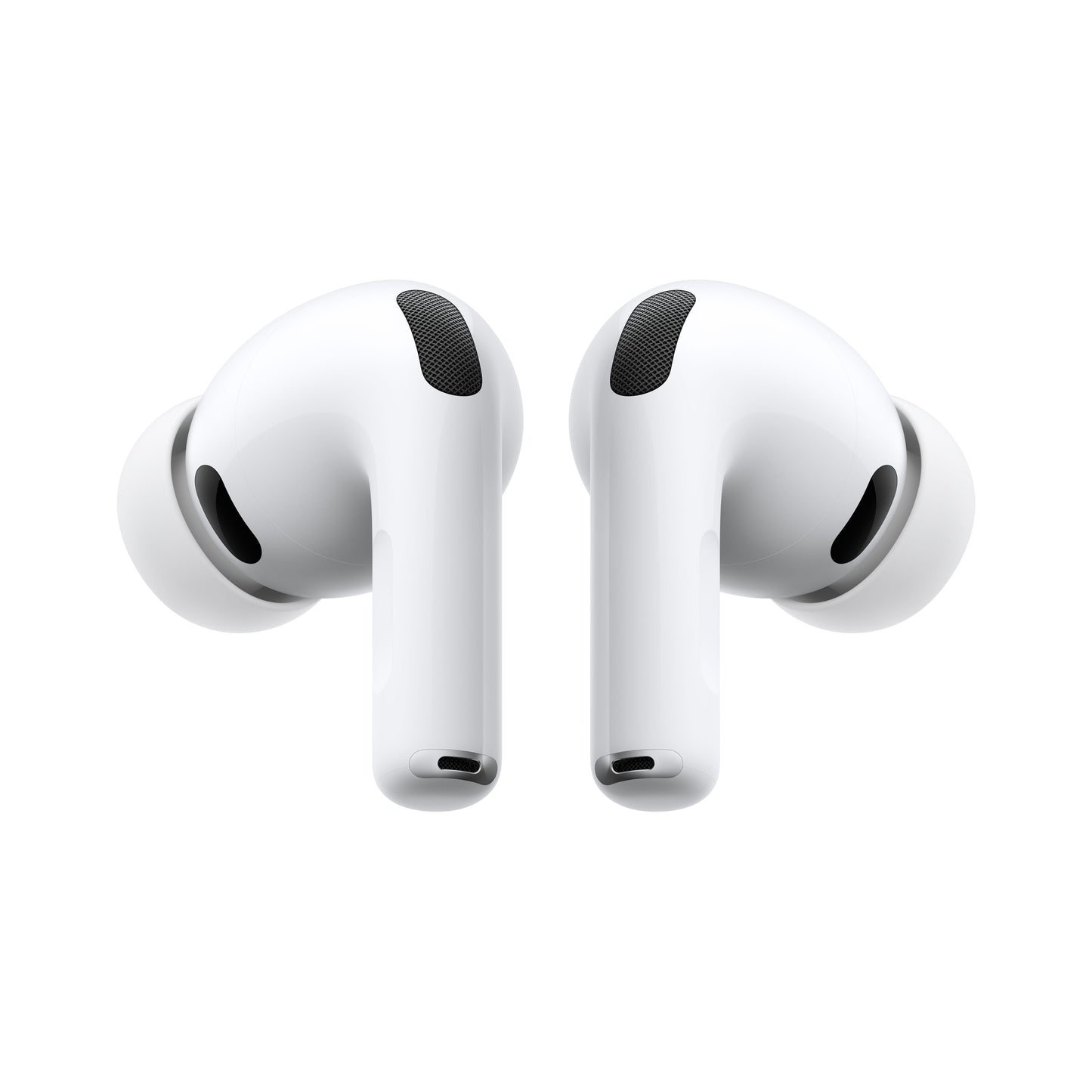
AirPods Pro 3. Up to 2x more Active Noise Cancellation than AirPods Pro 2. Now with heart rate sensing, Live Translation, longer battery life, and advancements in hearing health. Redesigned for a more secure fit.
Testing conducted by Apple in July 2025 using AirPods Pro 3 paired with iPhone 16 with prerelease AirPods firmware and iOS 26. Noise reduction was tested in accordance with IEC 60268-24. Comparison made against the best-selling wireless in-ear headphones commercially available at the time of testing. Performance depends on device settings, environment, and many other factors.
Built-in heart rate monitor is intended for use during workouts with the Fitness app and compatible third-party apps on iPhone running iOS 26 and later. Refer to support.apple.com/ for more information.
Live Translation with AirPods works on AirPods 4 with Active Noise Cancellation and AirPods Pro 2 and later with the latest firmware when paired with an Apple Intelligence–enabled iPhone running iOS 26 and later. Supports English (UK, U.S.), French (France), German, Portuguese (Brazil), and Spanish (Spain). For more information, see Feature Availability.
Compared with AirPods Pro 2.
Supported on AirPods Pro 2 and later with the latest firmware when paired with a compatible iPhone or iPad running the latest OS. The Hearing Aid and Hearing Protection features are also supported on Mac running the latest software. See support.apple.com/120850 for total attenuation and more information on the Hearing Protection feature.
Requires an Apple Intelligence–enabled iPhone nearby and Bluetooth headphones with device and Siri language set to English. Apple Intelligence is available in beta. Some features may not be available in all regions or languages. For feature and language availability and system requirements, see support.apple.com/en-us/121115.
Apple Intelligence is available in beta. Some features may not be available in all regions or languages. For feature and language availability and system requirements, see support.apple.com/en-us/121115.
Testing conducted by Apple in July and August 2025 using preproduction AirPods Pro 3 with MagSafe Charging Case paired with preproduction iPhone 17 Pro units, all with prerelease software. The playlist consisted of 358 unique audio tracks purchased from the iTunes Store (256-Kbps AAC encoding). Volume was set to 50% and Active Noise Cancellation was enabled. With Spatial Audio and Head Tracking enabled, listening time was up to 7.5 hours. Testing consisted of full AirPods Pro battery discharge while playing audio until the first AirPod Pro stopped playback. Battery life depends on device settings, environment, usage, and many other factors.
Testing conducted by Apple in July and August 2025 using preproduction AirPods Pro 3 with MagSafe Charging Case paired with preproduction iPhone 17 Pro units, all with prerelease software. Both volume and amplification level were set to 50% and Transparency was enabled. Testing consisted of full AirPods Pro battery discharge with the Hearing Aid feature on, with no audio playing back from iPhone, until the first AirPod Pro was fully discharged. Battery life depends on device settings, environment, usage, and many other factors.
The Hearing Test feature is supported on AirPods Pro 2 and later with the latest firmware paired with a compatible iPhone or iPad with iOS 18 or iPadOS 18 and later, and it is intended for people 18 years old or older.
The Hearing Aid feature has received FDA authorization. This feature is supported on AirPods Pro 2 and later with the latest firmware when paired with a compatible iPhone, iPad, or Mac with iOS 18, iPadOS 18, or macOS Sequoia and later, and is intended for people 18 years old or older with perceived mild to moderate hearing loss.
Supported on AirPods Pro 2 and later with the latest firmware when paired with a compatible iPhone running the latest software. This feature may not be available in all regions or all languages. View complete list.
The Hearing Protection feature works with AirPods Pro 2 and later with the latest firmware when paired with a compatible iPhone, iPad, or Mac with iOS 18, iPadOS 18, or macOS Sequoia and later. The feature is not available in all regions or all languages. View complete list. See support.apple.com/120850 for total attenuation and more information. The Hearing Protection feature is not suitable for protection against extremely loud impulse sounds, such as gunfire, fireworks, or jackhammers, or against sustained sounds louder than 110 dBA.
Requires an Apple Account and a compatible Apple device running the latest operating system software.
Requires a compatible Apple device running the latest operating system software.
MacExperience Return Policy:
How to Return
If you picked up your purchase in store, bring back the item you wish to return to that respective store and an associate will help you with that process.
If you were shipped your item, send us an email at info@macexperience.com to start the return process. You will need to reach out to us within the accepted time stated above. If your return is accepted, we’ll send you a return shipping label, as well as instructions on how and where to send your package. Items sent back to us without first requesting a return will not be accepted.
When Will I receive my refund?
We will notify you once we’ve received and inspected your return, and let you know if the refund was approved or not. If approved, you’ll be automatically refunded on your original payment method. Please remember it can take some time for your bank or credit card company to process and post the refund too.
You can always contact us for any return question at info@macexperience.com.


We started the MacExperience in 2001 with one simple mission: to keep our customers connected. We are here to solve your IT problems, whether that is getting you a new Mac, repairing your phone, or designing a network from scratch, so you can accomplish your dreams and stay connected to those you care about. How can we help you?
We work closely with Apple to ensure we are delivering the same level of quality (or better) that you would get from them in Cupertino – right here in Indiana.
Our staff are committed to providing great customer service– from asking lots of questions before giving recommendations to having a clean, safe environment to interact in.
MacExperience Apple Certified technicians are the best in the industry and know your Apple device inside and out.
MacExperience strives to create an inclusive atmosphere. Our business will not turn you away based on your sexual orientation, gender, race, disability or political/religious affiliation.
Our logo isn’t the only thing that’s green! All computer waste generated by MacExperience is recycled. We also offer a free computer recycling service.
We know you’re busy. More importantly, we respect that you’re busy, and we will do our best to make sure your issues are solved as quickly as humanly possible.


